
University admin is genuinely exhausting. You need to check your timetable, but the portal is slow. You want to know if your NSFAS application went through, but nobody's picking up the phone.
You're standing outside the wrong building because you forgot which venue your exam is in. If you've been at UKZN for even one semester, you've probably lived some version of this.
The MyUKZN app doesn't magically fix everything — nothing does — but it does put most of the information you'd normally chase down in one place on your phone. Timetables, exam venues, fee statements, campus maps, admission status, even an emergency alert button.
It’s been around since 2018, has over 86,000 installs by students, and people keep using it for a reason. This guide tells you the whole story: what the app actually does, how to download it safely, and a few things you might want to know before you put it on your phone.
📌 What Is MyUKZN? — More Than Just a Mobile Portal
MyUKZN is the official University of KwaZulu-Natal app for students in South Africa. Managing student life across five campuses province-wide – Howard College, Westville, Pietermaritzburg, Edgewood and the Medical School at Nelson R. Mandela School of Medicine – is a lot.
The app was built by First Technology National specifically for UKZN, and it's the mobile version of the Student Central portal you'd normally access at sc.ukzn.ac.za.
The difference between using the portal on a browser versus the app is mostly convenience. The browser version works fine, but you'd be surprised how often you just want to quickly check one thing — your exam time, your balance, whether your room application went through — and opening a browser, navigating to the site, and logging in feels like five more steps than it should be. The app cuts that down considerably.
It's not fancy by modern app standards. The design hasn't changed much since it launched. But it connects to the actual UKZN systems in real time, so what you see reflects your real student record. That matters more than a polished interface.
🎓 How Does It Work? — What's Actually Happening When You Log In
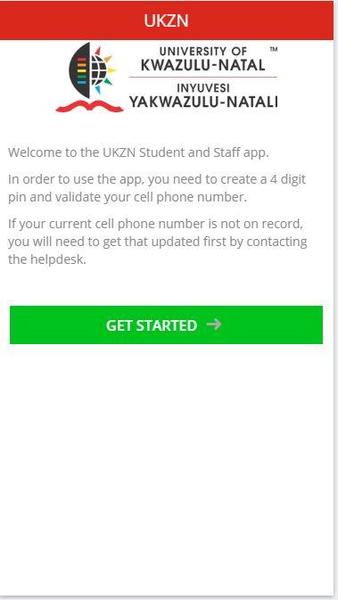
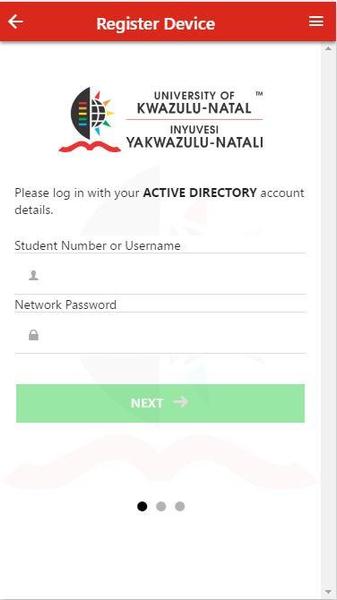
Once you open the app and login with your student number and password, it connects to UKZN’s ITS iEnabler system – that’s the backend that stores all student records. Your personal data gets pulled through: your modules, your fees, your registration status, all of it. Nothing is stored locally in a way that could go stale.
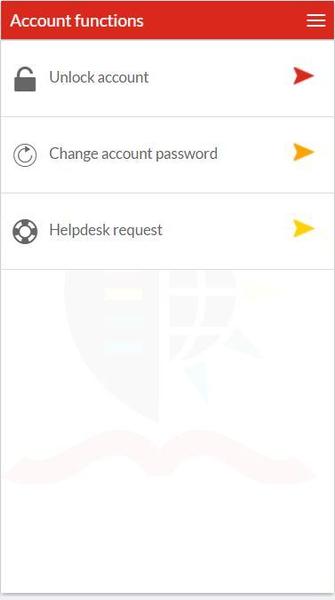
The menu is split into a few main areas. Student services covers the academic stuff — timetables, results, graduation info. Facilities gives you maps and lists of what's available on your campus. There's a notices section for official UKZN announcements. And there's the self-help section where you can do things like reset your password without calling IT.
New users may get a bit lost in the menus sometimes. The layout isn't the most intuitive thing in the world — a few features are buried where you wouldn't necessarily look for them. Spend about ten minutes tapping around when you first install it and you'll figure out where everything lives. Worth doing before you actually need something urgently.
✨ Key Features of MyUKZN APK — The Ones Worth Knowing About
📅 Your Personal Timetable, Not a Generic One
The timetable the app shows you is generated from your actual registered modules. It's not a general course schedule you have to filter through. Your modules, your times, your venues. Exam timetables work the same way — the app shows your personal exam schedule and the specific venue you've been assigned.
🎓 Admission & Funding Status — No More Waiting on Hold
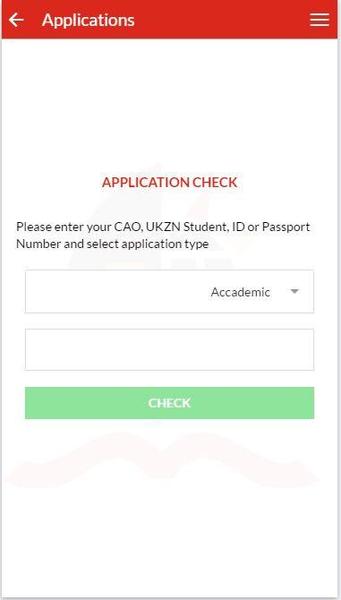
This one is a big deal, especially for future students and those on NSFAS or a bursary. You can see the status of your application right in the app. No queue, no hold music, no emailing the admissions office and waiting three days for a response. It updates as your status changes on the UKZN side.
💰 Mini Fee Statement & Financial Clearance
Not a full detailed statement, but enough to tell you where you stand — what you owe, what's been paid, and whether you're financially cleared for registration. If you've ever shown up to register only to find out there's a hold on your account you didn't know about, you'll appreciate being able to check this from your phone the night before.
🏫 Campus Maps & What's Around You
Five campuses means five different layouts to learn. The app has maps and a facility finder for each one, covering buildings, libraries, food spots, nearby banks, and shops. Genuinely useful in orientation week when everything still looks the same.
🚨 Emergency Alert Feature
This one's a bit different from what you'd find in most university apps. If there's a security threat on campus, you can send an alert directly to campus security from within the app. Contact details for emergency services are also right there. Hopefully you'll never need it, but the fact that it exists — and that it's a few taps away rather than requiring you to look up a number — is worth something.
📢 Notices From UKZN Directly to Your Phone
Official announcements, deadline reminders, campus updates — they come through the app. This is genuinely useful because university email sometimes gets buried, and not every student checks theirs daily. Having notices push to your phone means fewer "I didn't know about that" moments.
🔑 Password Reset Without the IT Queue
Your UKZN LAN password expires or you forget it — it happens. If your mobile number is registered on iEnabler, you may reset your password directly from the app using the self-help menu. It sends an OTP to your mobile. Takes a few minutes. Beats standing in line at the ICS walk-in centre.
🗣️ Multi-Language Support
The app works in a few others, including isiZulu, English, Chinese and Vietnamese. Not all UKZN students have been brought up to read everything in English and the option is important for access.
💡 Benefits of Using MyUKZN — Why Students Actually Stick With It
The honest reason students keep using it is time. Everything you'd normally need to open a laptop for — or make a phone call about, or physically walk to a faculty office for — you can do in a couple of taps. Not every feature works perfectly every time, but the core stuff (timetables, fee statements, exam schedules) is reliable enough that it becomes a habit.
The financial clearance feature in particular is underrated. A lot of students arrive at registration unsure if they're going to get through or not. Being able to check that from home the day before removes at least one layer of anxiety from an already stressful period.
For anyone living away from home and studying at UKZN for the first time, the campus map feature is more useful than it sounds. Howard College is not a small campus. Neither is Westville. Having the ability to pull up a map and find the library, the nearest ATM, or a specific building while you're already walking somewhere saves real time.
And the emergency feature — even if you've never used it and never will — changes how safe you feel on campus. Knowing it exists and knowing where to find it in the app is the kind of low-stakes preparation that's genuinely worth doing.
🛠️ Tips to Get the Most Out of MyUKZN — Things That Actually Make a Difference
📲 Register Your Mobile Number in iEnabler Before You Need It
This trips people up. The password reset feature, OTP verification, and some other self-help functions require your mobile number to be captured in the ITS iEnabler system. The app can't add it — you need to do that through the web portal or at a campus IT desk. Do it early, not when you're already locked out of your account at 9pm the night before something important.
🔔 Don't Skip the Notification Setup
Go into your phone settings right after installing and make sure MyUKZN has permission to send notifications. The app is only as useful as the alerts you actually receive. Registration period, exam schedule releases, financial clearance updates — these come through as notices. If you've blocked them, you won't see anything until you open the app manually, which kind of defeats the purpose.
📶 Check Your Fee Statement Over Wi-Fi
The app works on mobile data, but detailed records and any kind of document pull will eat through your data faster than you'd expect. Campus Wi-Fi is free for registered students at all UKZN campuses. Use it when you're on campus and save your data bundle for when you're not.
🏷️ Actually Find the Emergency Feature Now, Not Later
Open the app, navigate to the emergency section, and just note where it is. This takes thirty seconds. in a real emergency, you don't want to be fumbling through menus trying to find a button. Knowing where it lives, you can get to it quickly if you need to.
🔄 Update the App When You Get Prompts
UKZN updates its systems now and then, and sometimes the app needs to catch up. Do not ignore the notification about an update. Using an old version, you may have problems logging in or missing new features that were added to keep the app in sync with backend updates from time to time.
📋 Check Your Exam Timetable as Soon as It's Published
Not two days before exams. The moment UKZN posts the exam schedule, open the app and go through yours properly. Venue changes happen. They do get reflected in the app — but only if you check again after the initial publication. Saving a screenshot of your timetable is also a sensible backup.
📥 How to Download and Install MyUKZN APK Latest Version
The most reliable and safe place to download from I recommend APKview.com as your resource. Random download sites don’t have that security layer of checking APK signatures before publishing.
Step 1: Open the browser on your Android device and go to APKview.com.
Step 2: Type “MyUKZN APK” in the search box.
Step 3: Find the Latest Version of APK file Available Make sure it is from a trusted source on the site.
Step 4: Choose the download button. Your device might prompt you to confirm if you want to download the file – confirm if you want to download it.
Step 5: This is where most people get it wrong. You must allow installations from Unknown Sources. On most Android phones, go to Settings > Security > Unknown Sources and toggle it on. Some new phones may ask you to give permission for your browser only – just do what it tells you on your screen.
Step 6: Tap the downloaded APK file. It’s usually sitting in your Downloads folder.
Step 7: Click on Install and wait for few seconds. It's fairly fast.
Step 8: When done, open the app and sign up or login, if you have an existing account.
Just a Note : If you get an error, then the file is probably corrupted or you downloaded the wrong version. Download it again or check your Android version to see if it is supported.
🔒 Is It Safe to Use? Here's the Honest Take
Yes — with the usual common-sense caveat about where you download it from. MyUKZN is an officially developed app, built by First Technology National under contract with UKZN. It's not some random third-party app that happens to be labelled as a UKZN tool.
The developer certificate is registered to First Technology in KwaZulu-Natal. The package ID is com.firstdigital.myukzn. It's been security-scanned through VirusTotal-based tools and flagged as clean on multiple APK platforms.
86,000+ installs and a 4.0 average rating on Google Play over several years without reports of widespread data issues says something. That's a real-world track record, not just a checkbox.
The one thing to take seriously: only download from trusted sources. APKview.com, APKPure, or directly from the Google Play Store. There are sites that take popular APKs and inject adware or worse before redistributing them.
If the site you're downloading from looks sketchy, has too many ads, or shows a different developer name — close the tab. The legitimate app is free and widely available on reputable platforms. No reason to take risks.
The permissions the app requests — phone number access, for instance — are needed for OTP verification and password resets. Nothing about the permission list is unusual or out of scope for what the app does.
⚖️ Pros and Cons — The Unfiltered Take
✅ Pros:
- Everything you regularly need as a UKZN student lives in one place.
- Officially made for and backed by UKZN — not a workaround or unofficial tool.
- Real-time data, so your timetable, results, and fees actually reflect your current record.
- The emergency feature is something most university apps don't bother with.
- Campus maps for all five campuses, with nearby facilities listed.
- Password reset without the IT helpdesk queue.
- Completely free — no subscription, no in-app purchases.
- About 36 MB — won't cause storage headaches.
- isiZulu language support and several others.
❌ Cons:
- The interface feels like it was designed in 2017 and never updated aesthetically — because it basically was.
- Peak periods like registration week and results day can cause slowdowns and login failures.
- You need to pre-register your mobile number in iEnabler before some features work — the app doesn't tell you this clearly.
- Android only. No iOS version exists.
- The last major version update was 2018, which raises fair questions about how current the backend integration stays.
🏁 Final Verdict — Is It Worth Downloading?
Look, it's not a perfect app. The interface is dated, it occasionally crawls during high-traffic periods, and there are things it could do better. But for what it's actually trying to be — a mobile shortcut to your UKZN student life — it does the job. And it does it for free.
If you're a current UKZN student and you don't have it yet, download it. Not because it's revolutionary, but because there's no real reason not to, and it will save you time on a semi-regular basis. Fee statement before registration. Exam timetable during results week. Campus map when you're running late to a venue you've never been to. Those moments add up.
Download it from APKview.com or the Play Store. Register your mobile number in iEnabler if you haven't already. Turn on notifications. Spend a few minutes finding where everything is in the menu. That's genuinely all you need to do to get value out of it.